Shiptheory Integration
Shiptheory is a shipping automation platform designed to streamline order fulfilment for businesses. It integrates with over 70 of the world's most popular carriers, allowing businesses to generate, manage, and automate shipping labels efficiently. Shiptheory has advanced options, such as automatic printing of labels directly on your own printers.
Orderspace integrates with Shiptheory to export dispatches created on Orderspace to Shiptheory. Shiptheory can be set up with rules to automatically purchase shipments and return the tracking details to Orderspace.
Setup
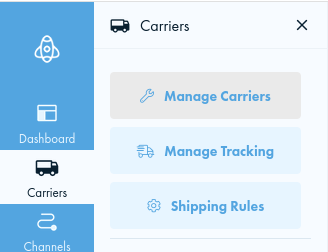
Enable your preferred carrier(s) under Carriers > Manage Carriers
Create shipping rules to assign shipments to carriers automatically
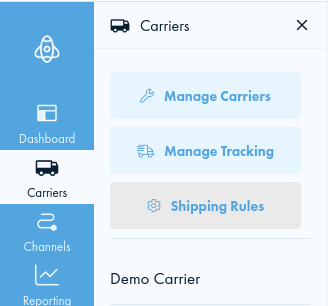
At least one rule should be created to match all shipments sent to Shiptheory otherwise shipments will be marked as Ignored by Shiptheory
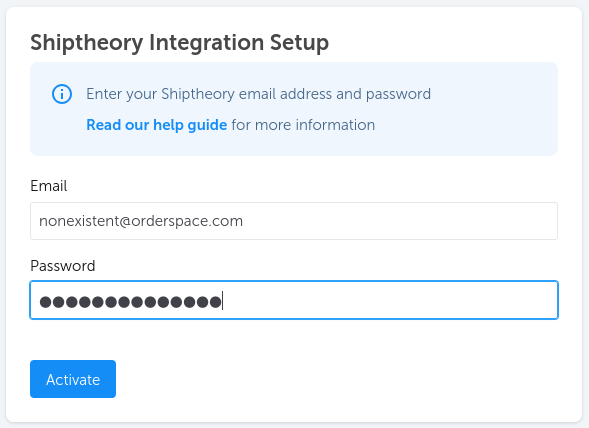
On Orderspace, go to Integrations and select Shiptheory. Select Enable Integration and enter the email address and password you used when signing up for Shiptheory, then Activate.
How It Works
Orders should be picked and dispatched in the normal way via the
Dispatch section of the Orderspace admin site. Confirmed dispatches will be automatically sent to Shiptheory and should appear within a few minutes.
If your Shiptheory rules are set up to automatically purchase shipments, it will be done at this stage. Tracking information will be sent back to Orderspace and added to the Delivery Notes.
If orders are partially picked and dispatched, only the items dispatched in Orderspace will be sent through to Shiptheory. This allows orders to be dispatched in stages.
If there are any problems with an export, a warning will be shown on the Dispatches page in Orderspace, and details will be shown on each associated dispatch. The export can be retried once the issues have been resolved.
Shipping Options
The
shipping option selected by the customer during checkout will be sent through to Shiptheory as Shipping Method. The Shipping Method field can be used in conditions of Shiptheory shipping rules to control shipment routing where required. This allows you to offer multiple carriers or services and let the customer choose which one they want to use.
Ignored Shipments / Shipments Requiring Approval
Any shipment sent to Shiptheory that does not match a shipping rule, or matches a rule that does not result in purchase, will be shown as Exported on Orderspace on the Dispatches page. The shipment can be completed in Shiptheory, but tracking information will not be sent back to Orderspace.
Weights
Shiptheory requires weights to be set up on each item so that the correct weight can be calculated for the parcel. Weights are set on Orderspace from the Variants tab on each product, or in bulk using a product import. Weights are in kilograms.
Product Quantities
Shiptheory only supports whole numbers for product quantities. If decimal quantities are provided, Shiptheory will round the quantities down to the nearest whole number.
Commercial Invoices
For shipping internationally, enable the
Commercial Invoices feature on Orderspace. Set up Country of Origin and Tariff Codes in Orderspace, and they will be automatically exported to Shiptheory.

